
Delete unused content
Permanently remove a course, learning path, class or material that nobody has used. Deleting needs its own permission, which the Owner and center managers or administrators have; anything with learning history can only be archived.
- 1
Check that it is unused
Only items without assignments, enrollments, learner results or other references can be deleted, even if those assignments were later canceled. uLearnBox checks again when you confirm.
- 2
Delete a course
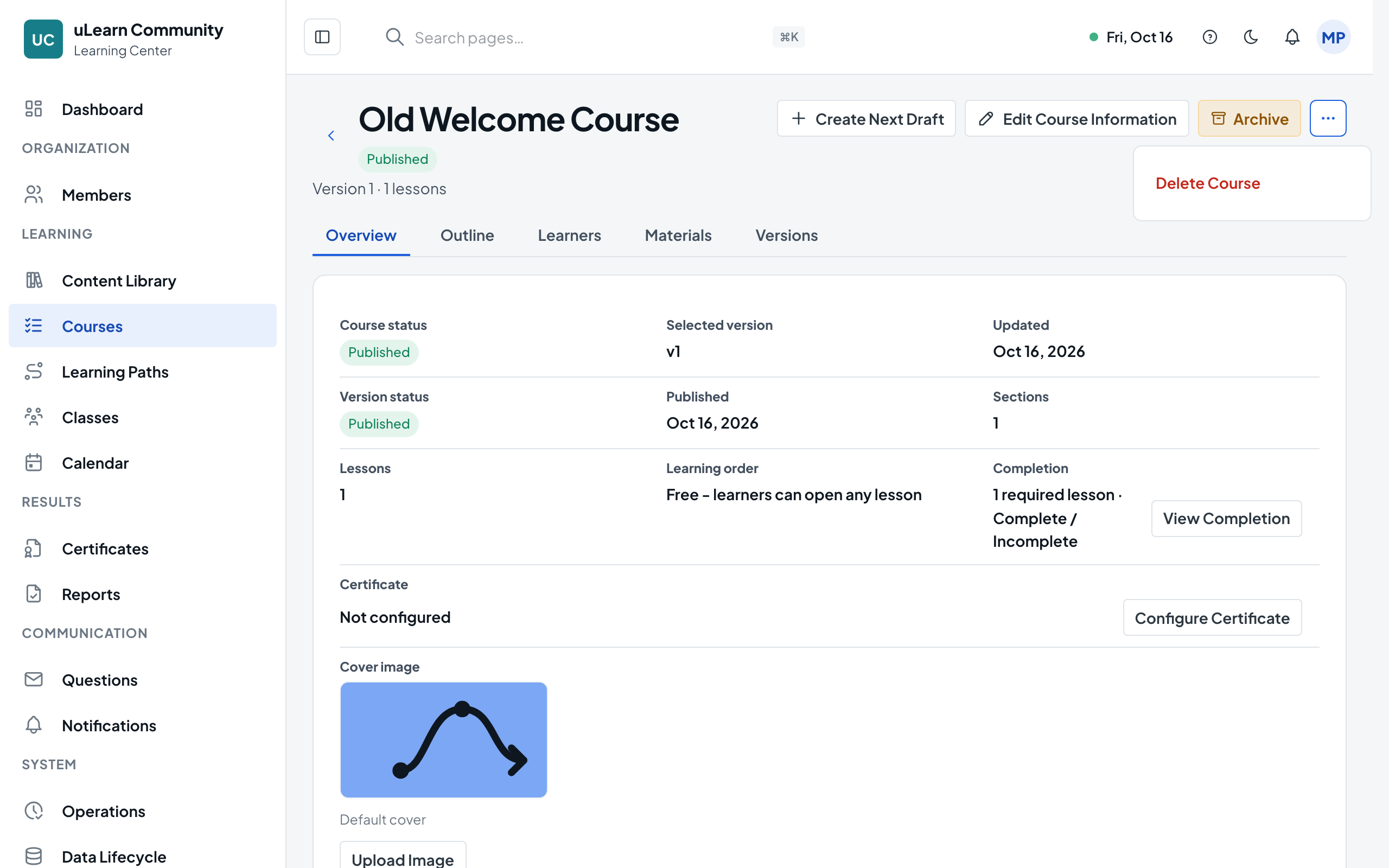
Open the course, open the actions menu (⋯) at the top of the page and choose Delete Course. The confirmation warns that all versions are removed; select Delete. Shared materials are kept.
- 3
Delete only a draft
To throw away an unpublished draft but keep the course, choose Delete Draft Version from the same menu, then Delete Draft. Published versions are kept.
- 4
Delete a learning path or class
Open it and choose Delete Learning Path or Delete Class from the actions menu (⋯), then confirm. Courses and materials it used are kept.
- 5
Delete a material
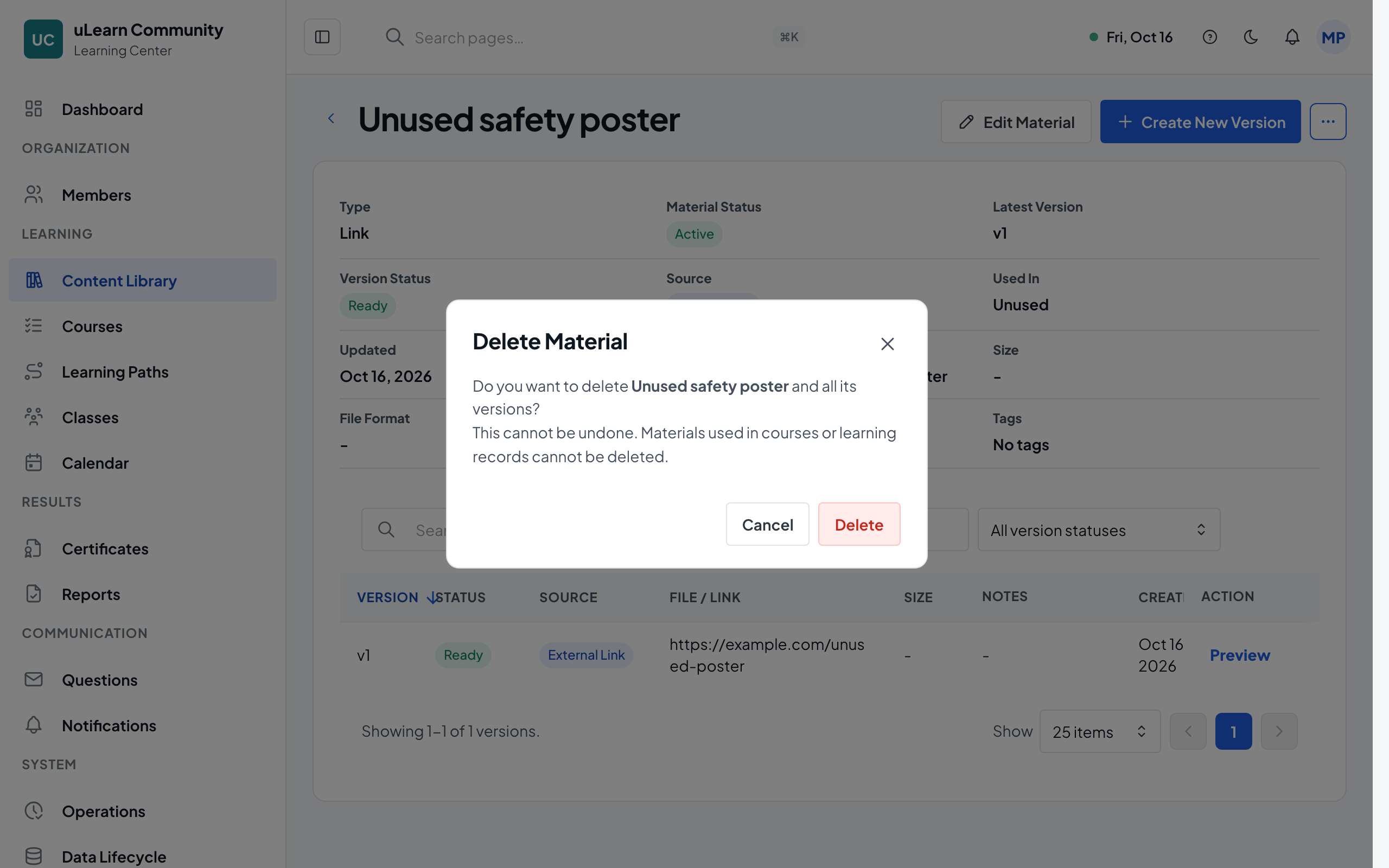
In Content Library, open the material’s more actions menu and choose Delete, or open the material and choose Delete Material from Material Actions. It is offered only when no course uses the material and no upload is still processing. Confirm to remove the material and all its versions.
- 6
Archive when you cannot delete
If Delete is unavailable, the item is in use. Archive it instead to hide it from new use while its history stays available.