Ask a question about a lesson
Ask your teachers about a class lesson right from the player and read their answer there. Questions are part of class lessons only.
- 1
Open a class lesson
Select Classes in the left menu, open your class, go to the Lessons tab and select Open Lesson, then Start Lesson. Self-paced courses and learning paths have no questions.
- 2
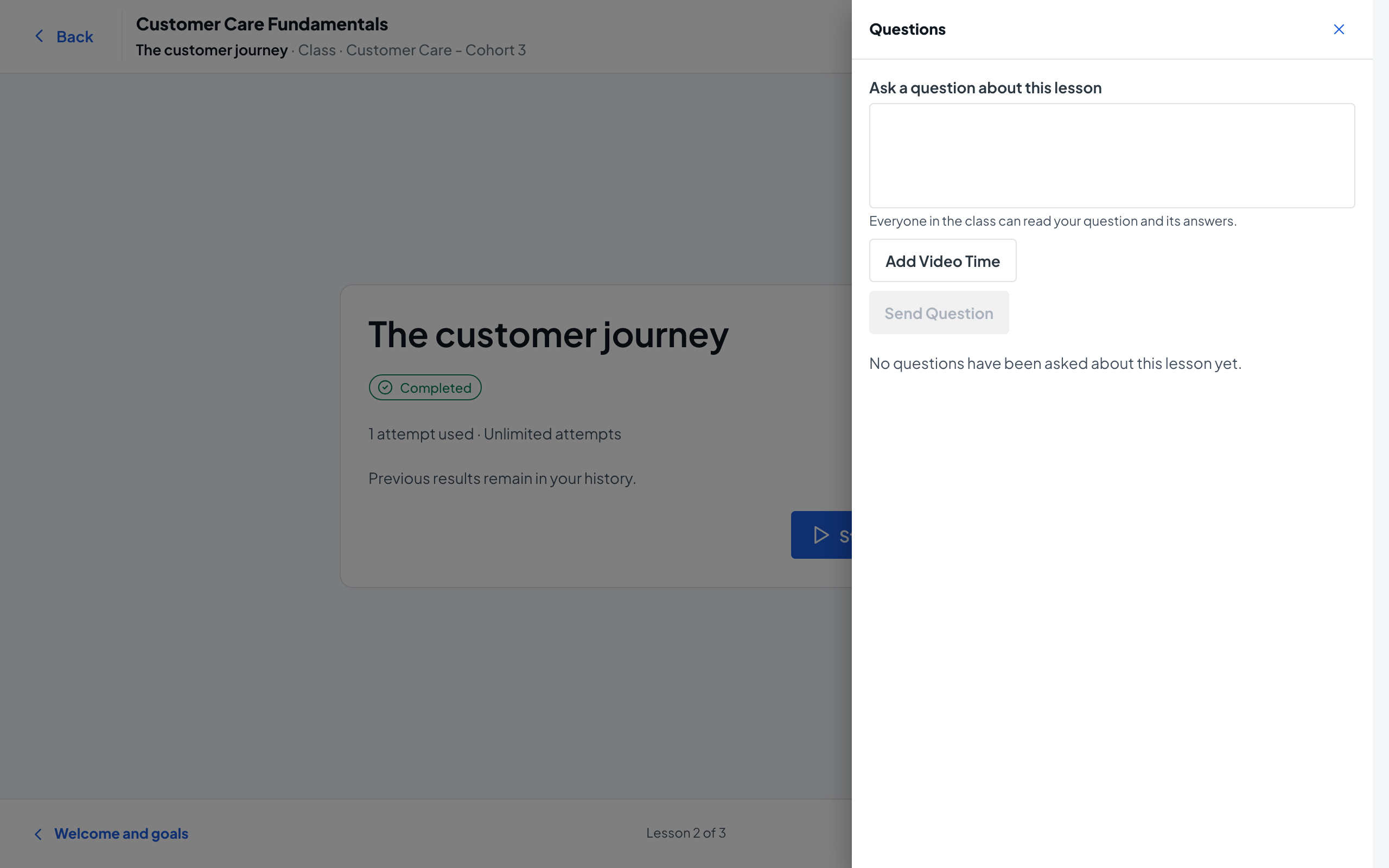
Open Questions
Select Questions in the top bar of the player. A panel opens on the right with the lesson’s questions, or No questions have been asked about this lesson yet.
- 3
Write your question
Type it in Ask a question about this lesson. Everyone in the class can read your question and its answers.
- 4
Point to a moment in a video
Optionally select Add Video Time. If a video is playing, its current time is filled in; you can change it to minutes and seconds, like 1:15. Remove Video Time takes it off.
- 5
Send it
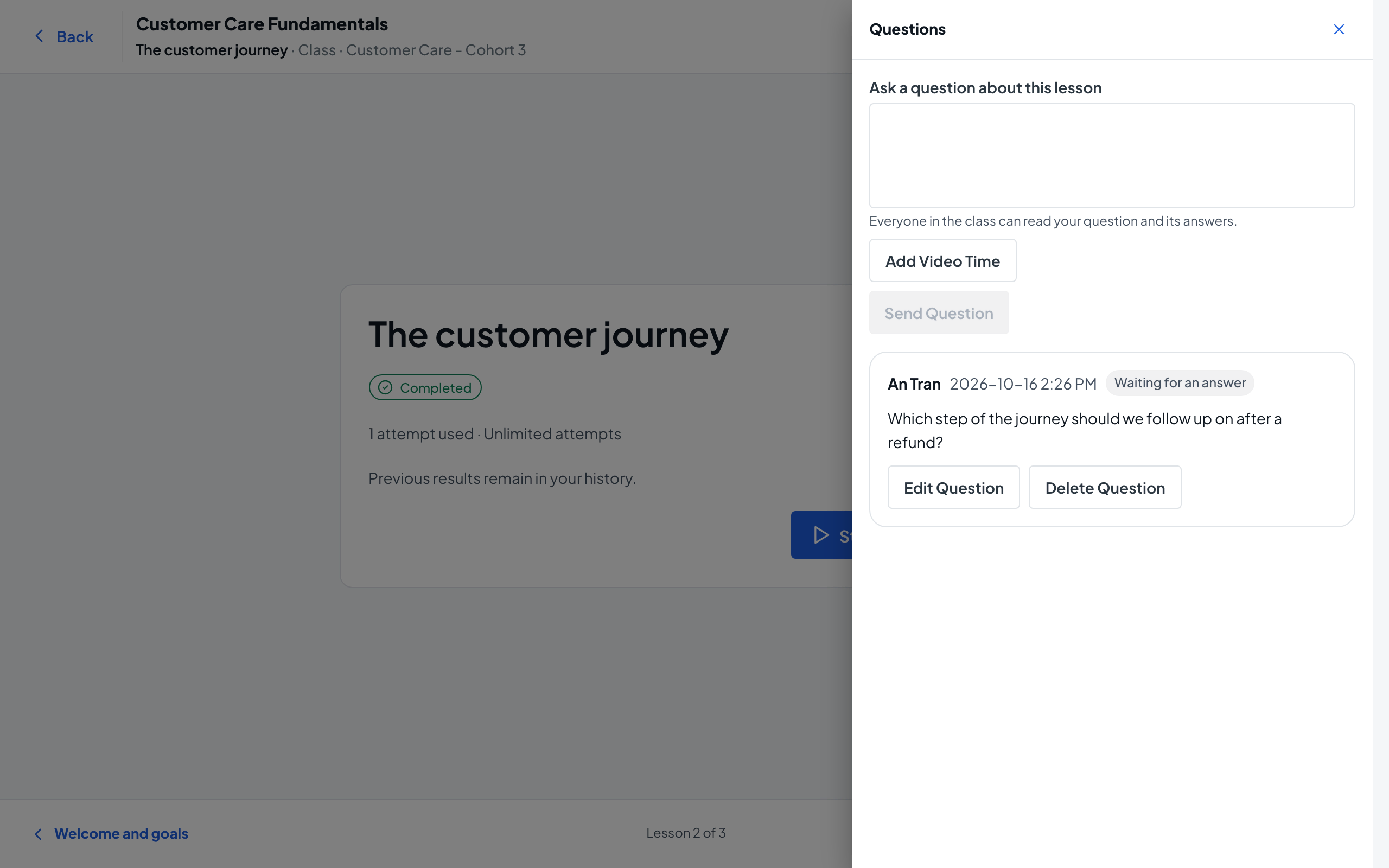
Select Send Question. You see Your question was sent to the teaching team., and your question shows Waiting for an answer.
- 6
Edit or delete while you wait
Until it is answered, Edit Question lets you change the text and Delete Question removes it after you confirm. Deleting cannot be undone.
- 7
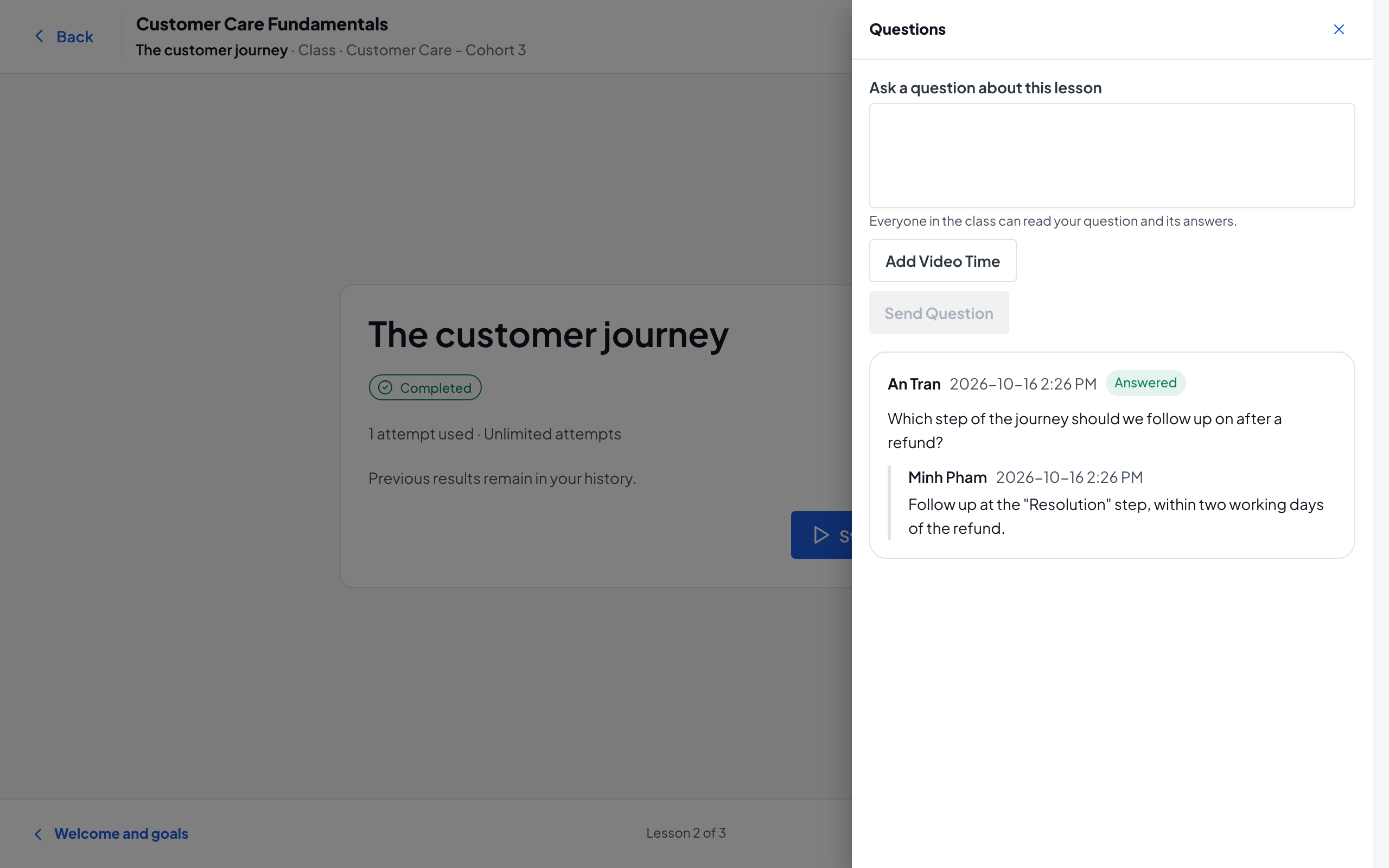
Read the answer
When a teacher answers, you get the notification Your question was answered. Open the lesson’s Questions panel again to see the answer under your question, now marked Answered.