Study a lesson
Open a lesson from a class, course or learning path, study it in the player, and pick up where you left off. Your progress is saved as you go.
- 1
Find your lesson
Select Learning in the left menu and use Continue Learning, or open Classes, Courses or Learning Paths and choose one. In a class, the Lessons tab has a Continue Lesson button for your next lesson and an Open Lesson button on every lesson.
- 2
Check the start panel
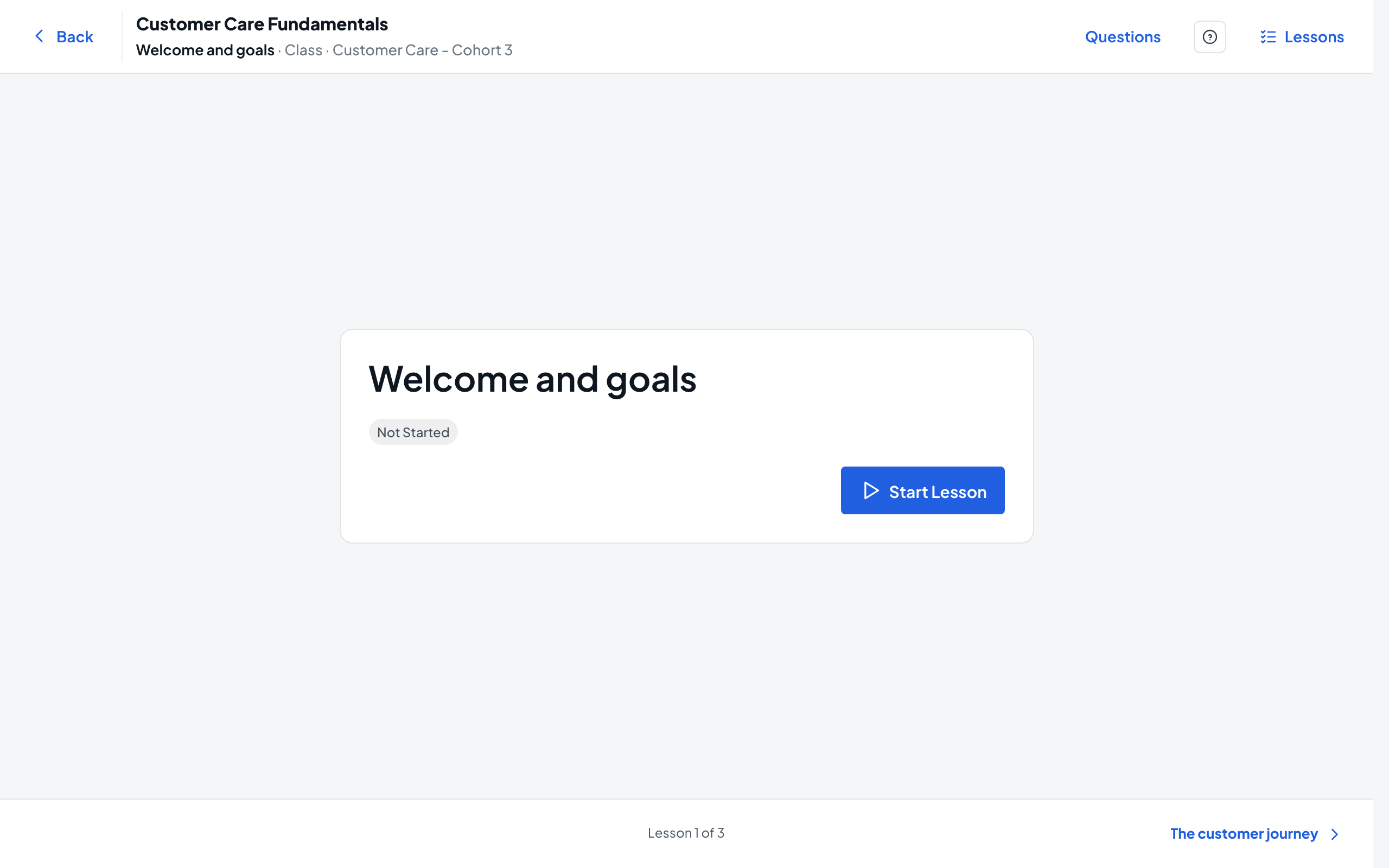
The player opens on a panel with the lesson name and its status, such as Not Started. If the lesson limits attempts, you also see Attempts allowed and Remaining.
- 3
Start the lesson
Select Start Lesson. The lesson fills the screen, with the course and lesson names in the top bar. A lesson that is a web link opens in a new window, and Open Link opens it again.
- 4
Study while progress saves
The top bar shows Saving... and then Saved each time your progress is stored. Image lessons also have Zoom In, Zoom Out, Actual Size and Full Screen.
- 5
Move between lessons
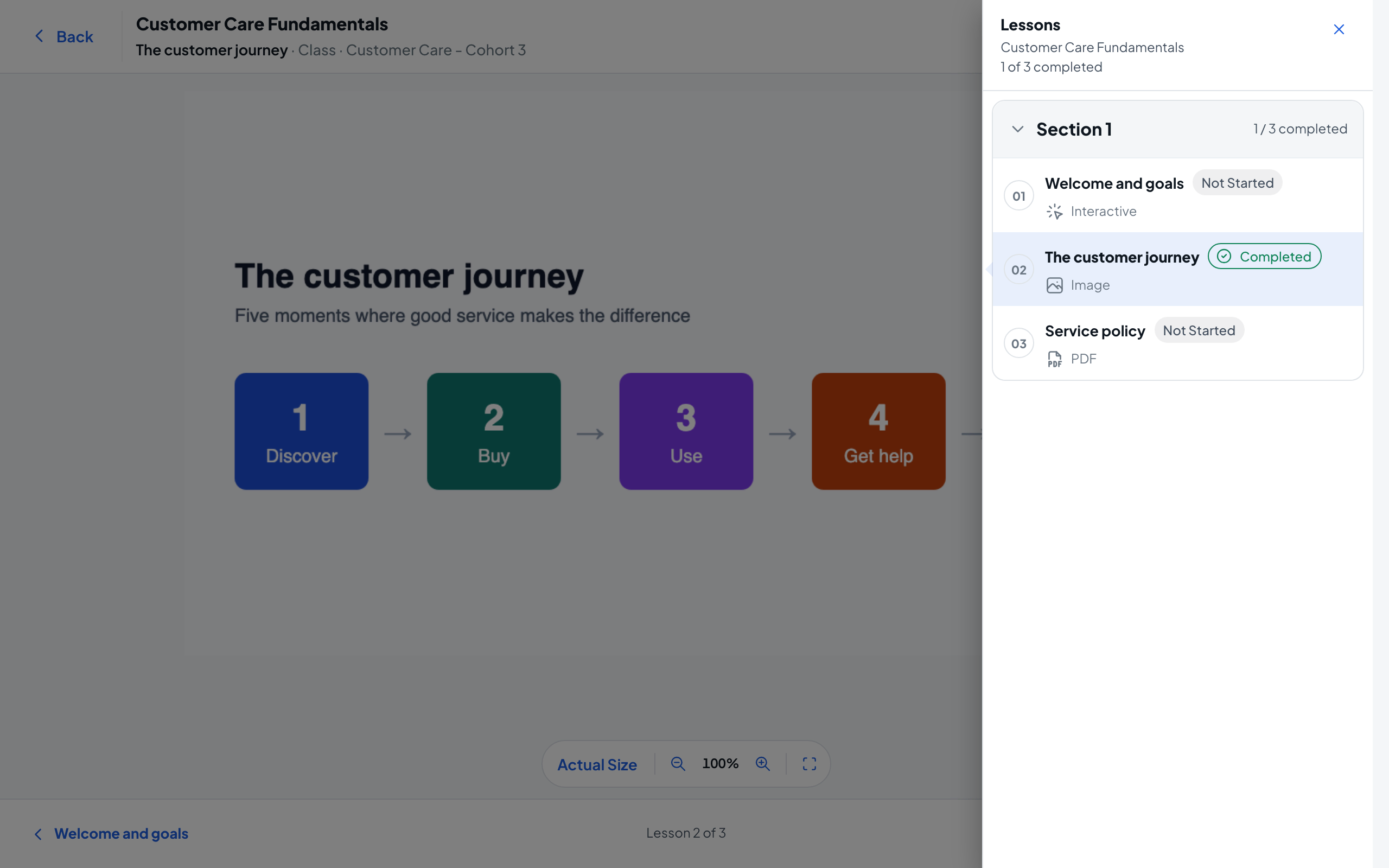
Use the previous and next lesson names at the bottom of the player. Or select Lessons in the top bar to see the whole course, how many lessons you have completed, and jump to another one.
- 6
Leave and come back later
Select Back to return to your lesson list. When you open an unfinished lesson again, the button reads Resume Attempt and you continue where you left off.
- 7
Take a lesson again
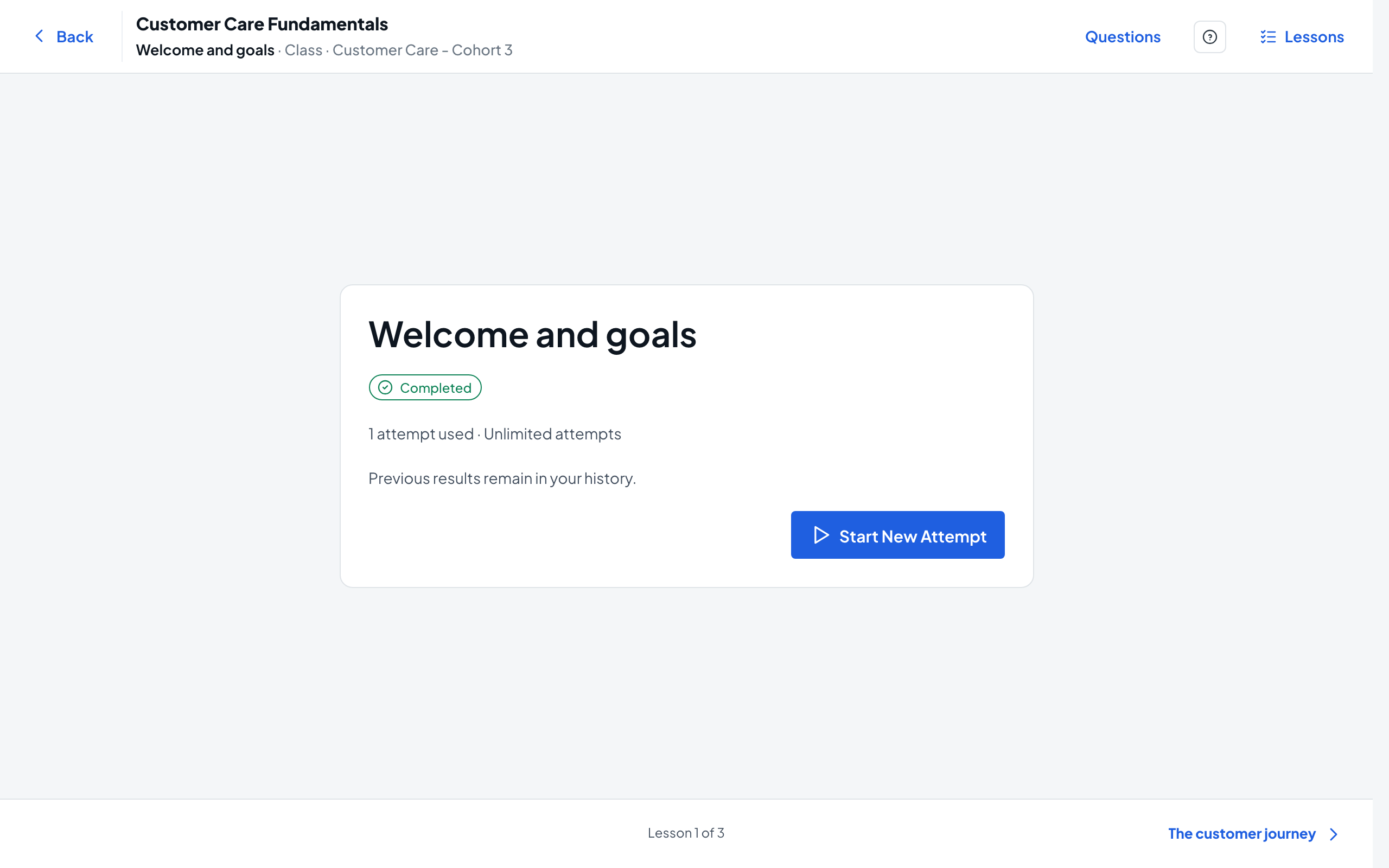
On a lesson you have finished, Start New Attempt begins a fresh attempt; your previous results stay in your history. When no attempts are left, the button reads No Attempts Remaining.