
Run a live or hybrid class
Schedule sessions with meeting links, bring learners in and keep attendance for each session.
- 1
Open the class
Choose Classes and open your class. Its tabs include Overview, Learners, Curriculum, Calendar, Assignments, Grading and Gradebook; you see only the tabs your role allows, and Overview, Grading and Gradebook stay hidden while the class is a draft.
- 2
Schedule sessions
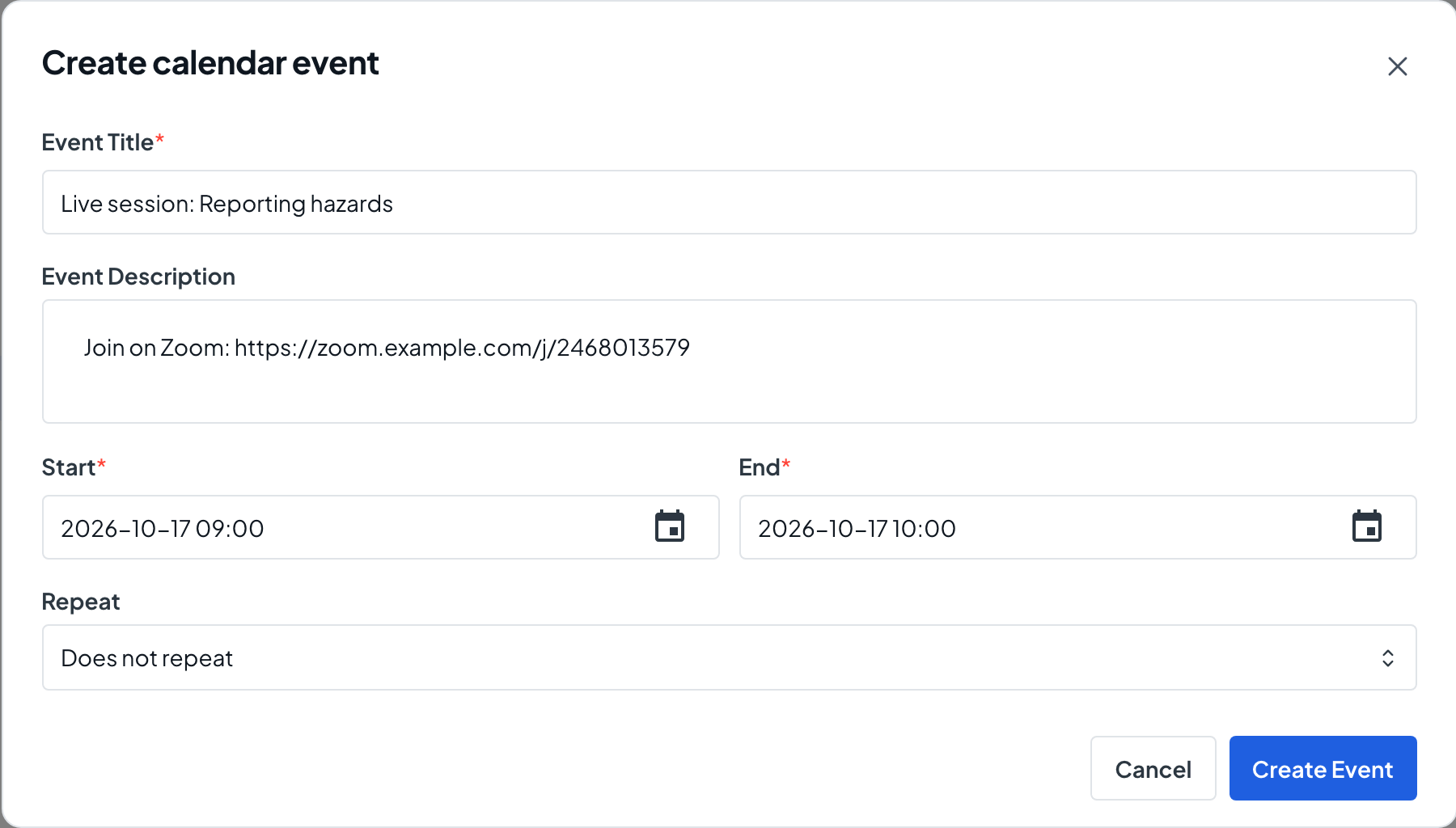
On the Calendar tab, choose Create Event. Enter the Event Title, Start and End, and paste the Zoom, Meet or Teams link in the Event Description. To repeat the session, choose Daily or Weekly under Repeat and set the Number of Sessions or a Repeat Until date.
- 3
Bring learners in
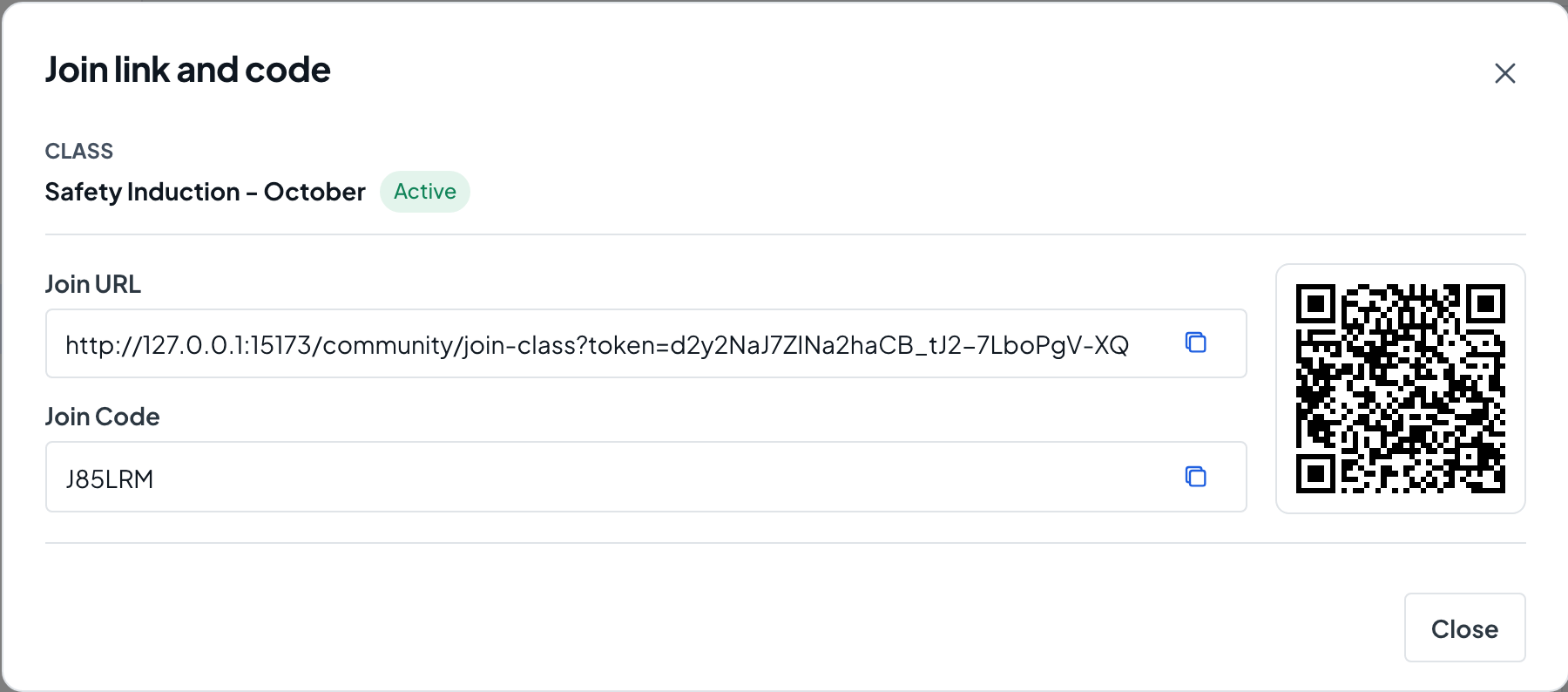
On the Learners tab, choose Add Existing Members. In a Public learning center you can also use Join Link/Code to share a link, code or QR code, and approve people from Join Requests when Require Approval is on. Both need permission to manage the class’s learners, which the Instructor role does not include.
- 4
Take attendance
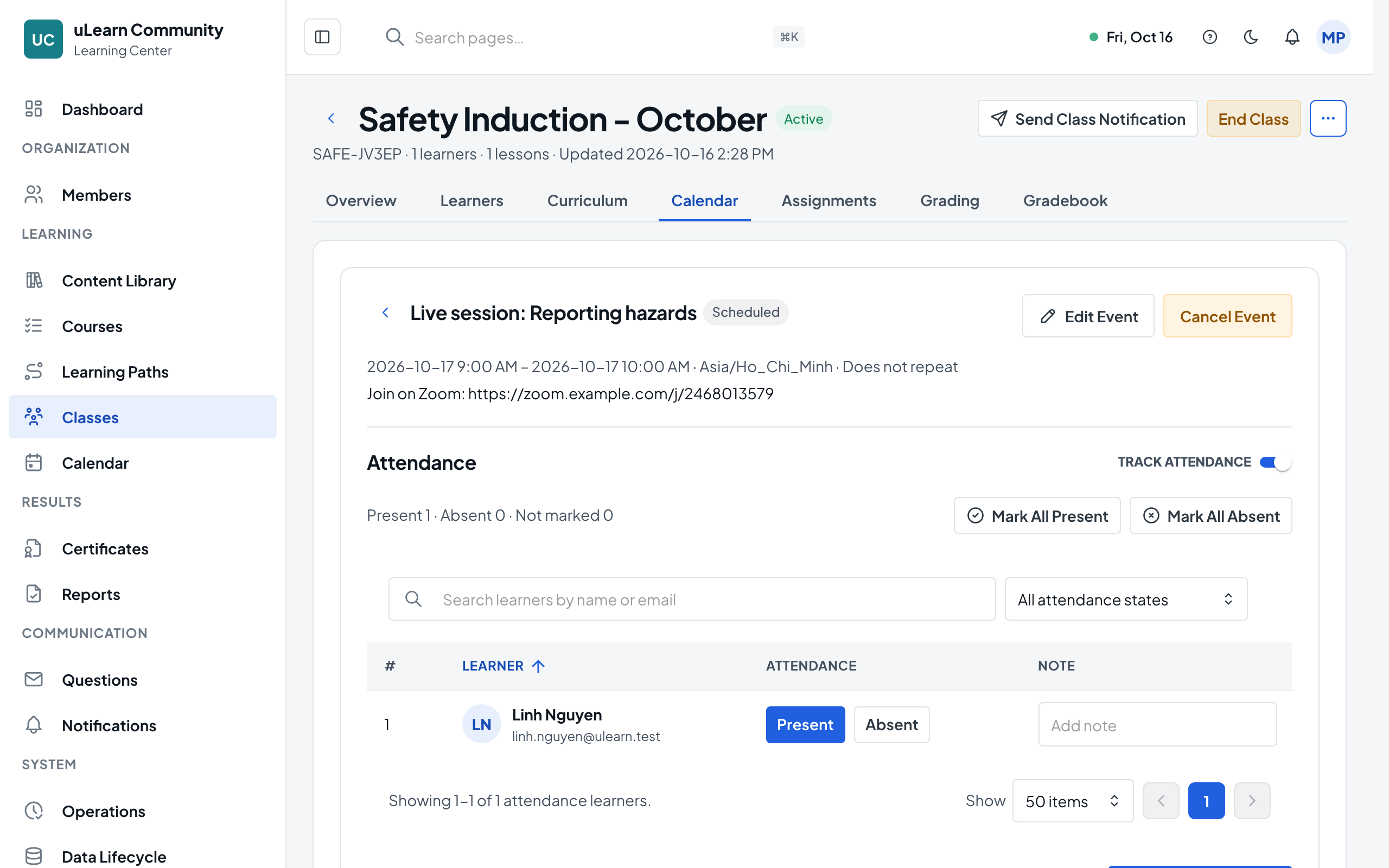
Open the session from the calendar and turn on Track Attendance. Mark each learner Present or Absent, or use Mark All Present, add a note if needed, and choose Save Attendance.
- 5
Review attendance
The Attendance view on the Calendar tab lists every session with its attendance status, and the Attendance view on the Learners tab shows each learner’s totals.