Sign in and open your learning center
Sign in at the right place, create an account or reset a forgotten password, and find your way into each learning center you belong to.
- 1
Open the right sign-in page
For a Public learning center, sign in at uLearnBox or at the center’s own address. For an Organization learning center, open the address your organization gave you; that account is separate from any public uLearnBox account with the same email.
- 2
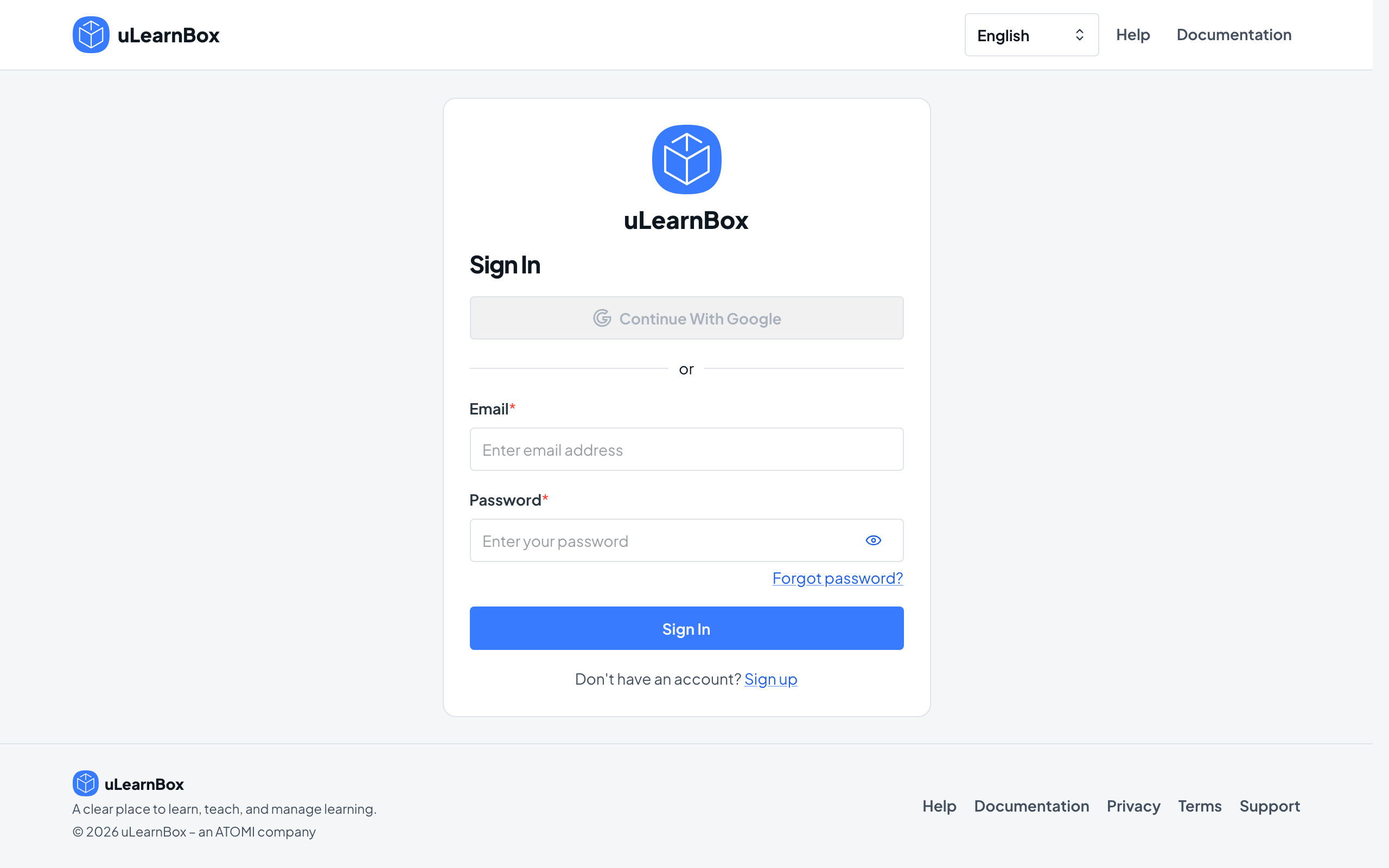
Sign in
Enter your Email and Password and select Sign In, or select Continue With Google when the center offers it. If your organization lets members use usernames, the first field reads Email or username.
- 3
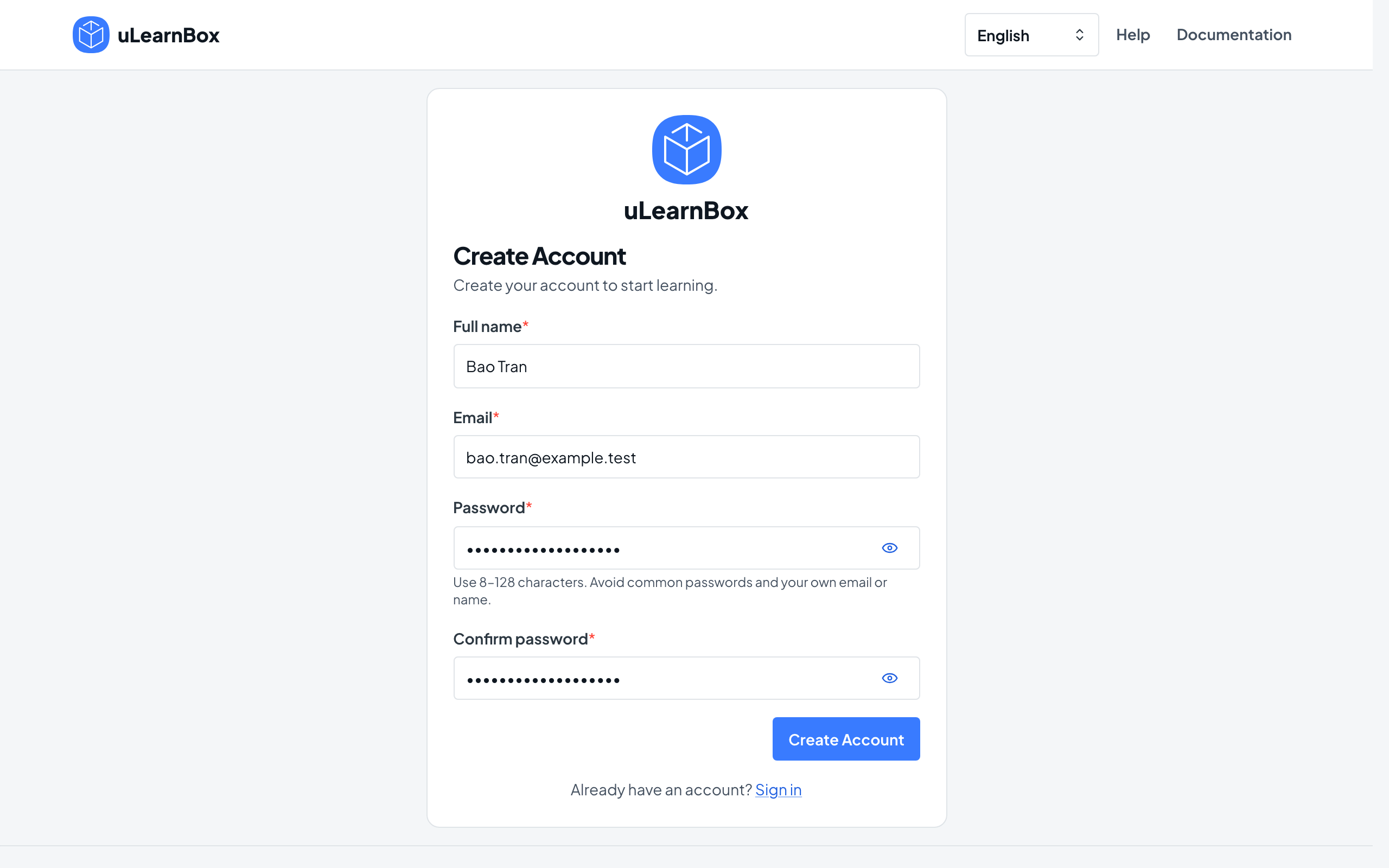
Create an account if you need one
Select Sign up, fill in Full name, Email, Password and Confirm password, then select Create Account. Open the verification email, select Verify Email, and sign in once you see Email verified. In an Organization learning center, Sign up appears only when the center lets learners create accounts.
- 4
Reset a forgotten password
Select Forgot password?, enter your Email and select Send Reset Email. Open the emailed link, enter New password and Confirm password, then select Set New Password; Sign out of other devices is on by default.
- 5
Choose your own password when asked
If an administrator created your account with a temporary password, the first screen after sign-in is Choose a new password. Set your own password to continue.
- 6
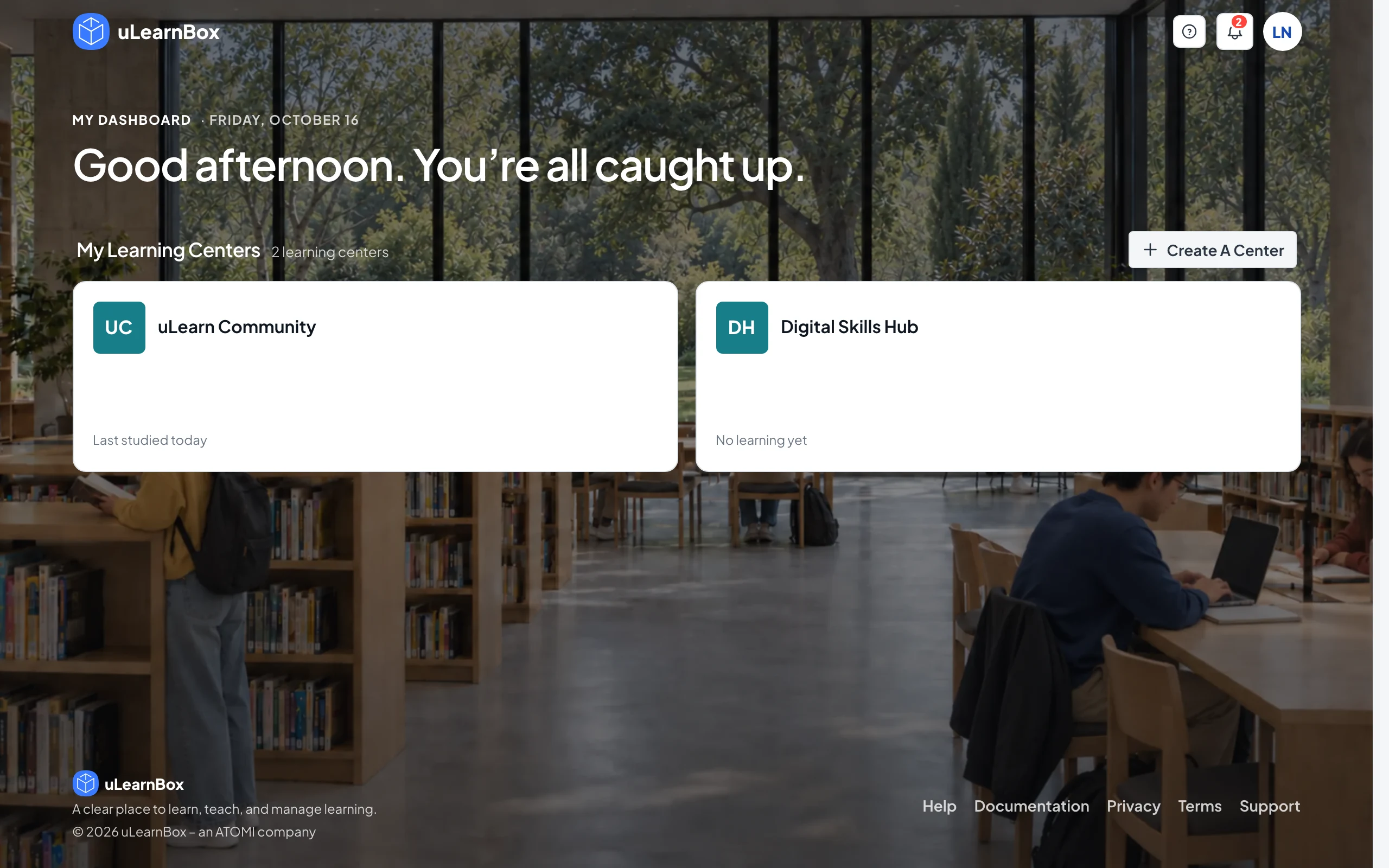
See where you land
With a public account you go straight to the center you used most recently, or to My Dashboard when you have no center yet or an invitation is waiting. In an Organization learning center you open its management dashboard if you manage the center, otherwise your learning dashboard.
- 7
Switch between centers and areas
On My Dashboard, select a card under My Learning Centers to open your learning there, or Manage to manage it; See All Centers lists every center once you have more than six. In an Organization learning center, use My Learning and Manage Center at the top of the page to switch.