
Join a class with a link, code or QR
Get into a class in a Public learning center from the link, code or QR code your teacher shared, and create your account on the way if you need one.
- 1
Open what your teacher shared
Open the join link or scan the QR code; both open the Join Class page. If you only have a code, type it in Join Code on that page and select Find Class.
- 2
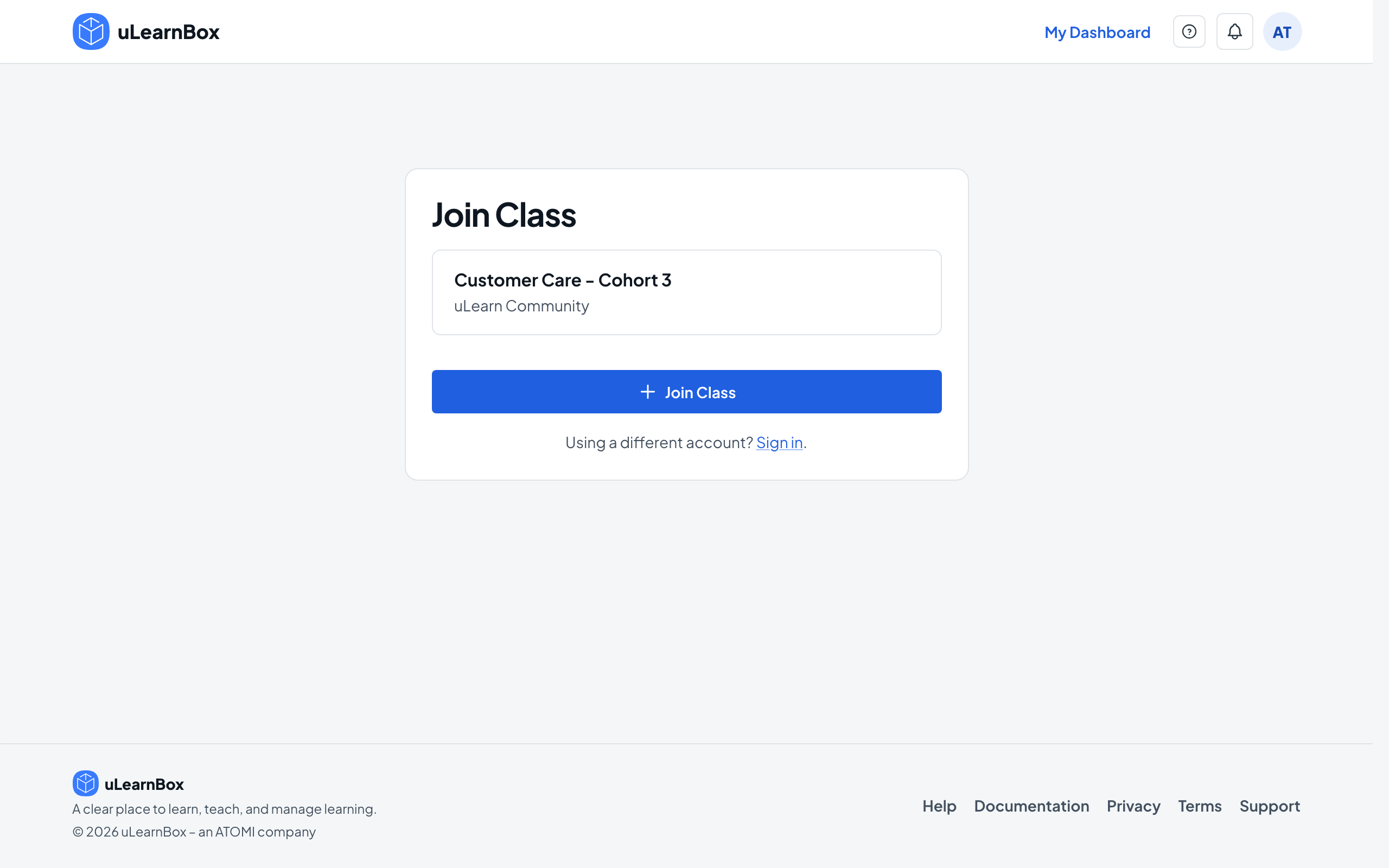
Check the class
The page shows the class name and the learning center it belongs to. If the class needs teacher approval or the link has an end date, the page says so.
- 3
Sign in or create an account
If you are not signed in, select Sign in at the bottom of the page. New here? Select Sign up on the sign-in page; an email account must be verified before you can sign in. Then open the join link again.
- 4
Join the class
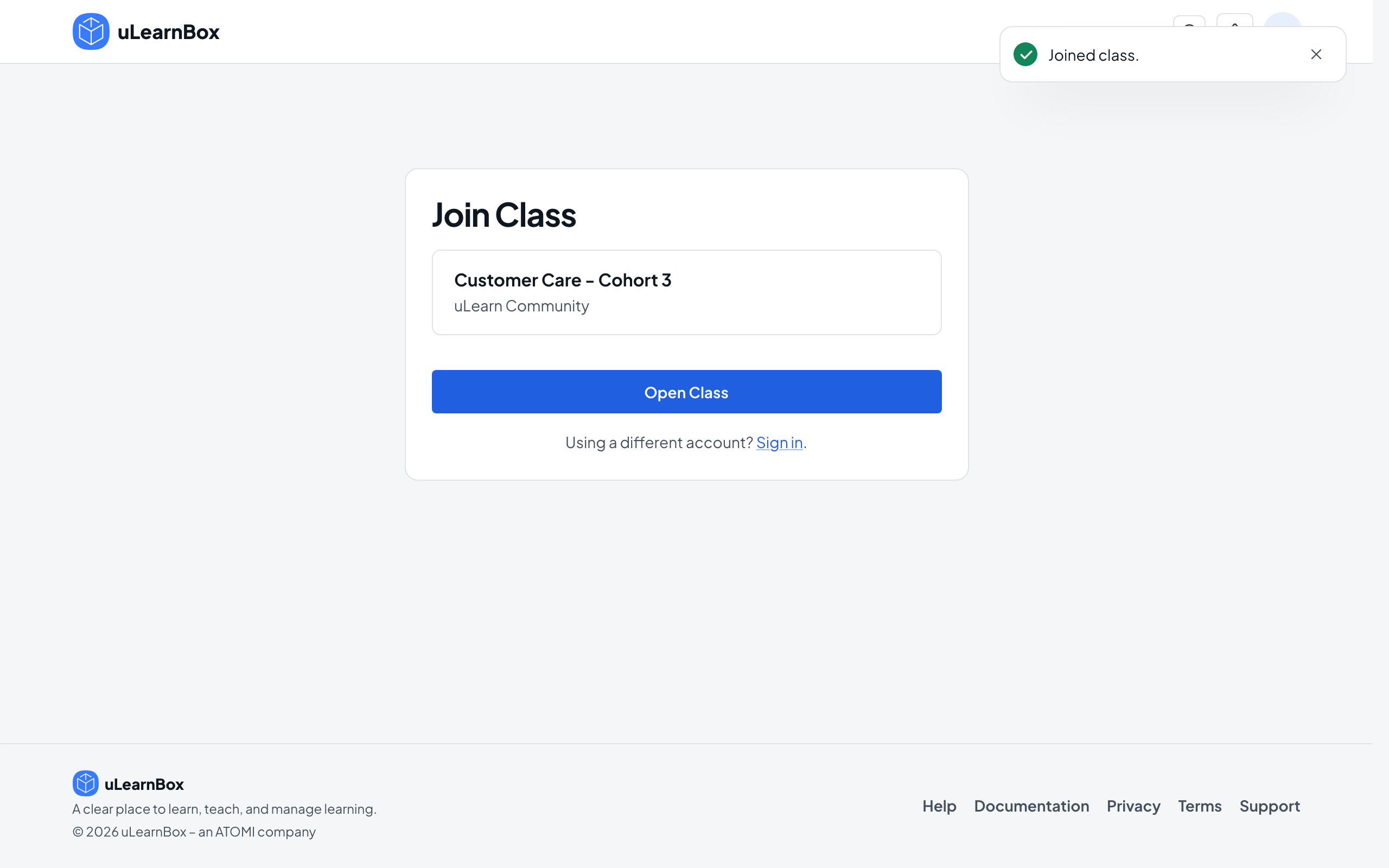
Select Join Class. You see Joined class., and the button changes to Open Class.
- 5
Open your class
Select Open Class. The class page opens with its Overview, Lessons, Calendar, Assignments, Grades and Report tabs, and the class also appears under Classes in the left menu.
- 6
Wait for approval if needed
If your teacher approves new learners, the button after Join Class reads Open My Dashboard instead. You can enter the class once your teacher admits you.